Pay once. Own it forever. No subscriptions, ever.
Back to blog

Track New Amazon Products and Catch Vine Eligibility Automatically

Track New Amazon Products and Catch Vine Eligibility Automatically

Two things decide how fast you grow on Amazon: spotting new products early, and getting them into Vine while reviews matter most. Both usually mean hours of manual checking: opening store pages one by one, copying details into a spreadsheet, and logging into Seller Central every day to see whether anything has qualified.

The Amazon Product Download Bot does both for you. It watches the Amazon stores you list, logs every new product to your Google Sheet with price, rating and link, and checks your catalog against Vine eligibility criteria so you know the moment a product qualifies.

Here's how it works, from setup to results.
  1. Add the stores you want to watch

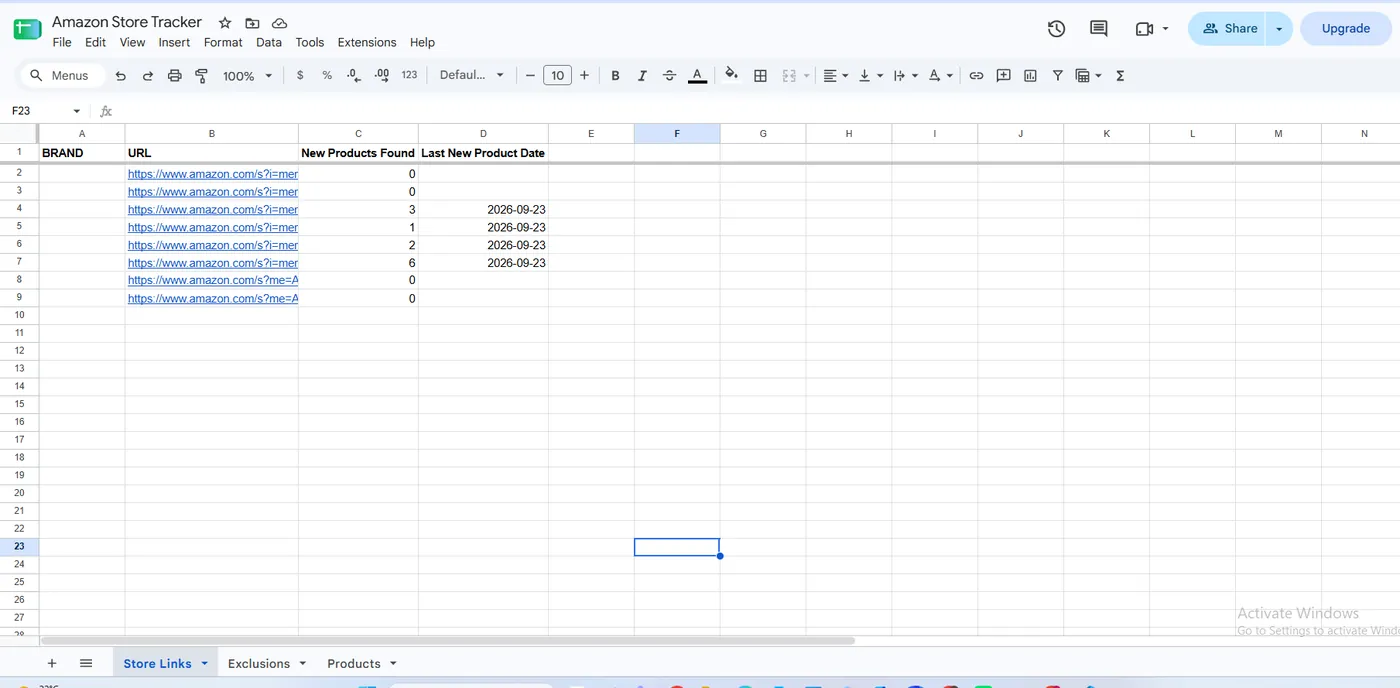
    Open the Store Links tab of your Google Sheet and paste one Amazon store URL per row. That's the whole setup. The bot reads the list on every run, ignores duplicates, and keeps a tally beside each store (New Products Found and Last New Product Date), so after a few runs you can see which stores keep launching and which have gone quiet.

    Store Links tab: one URL per row, with a live new-product tally for each store.
    Store Links tab: one URL per row, with a live new-product tally for each store.
  2. Start the run

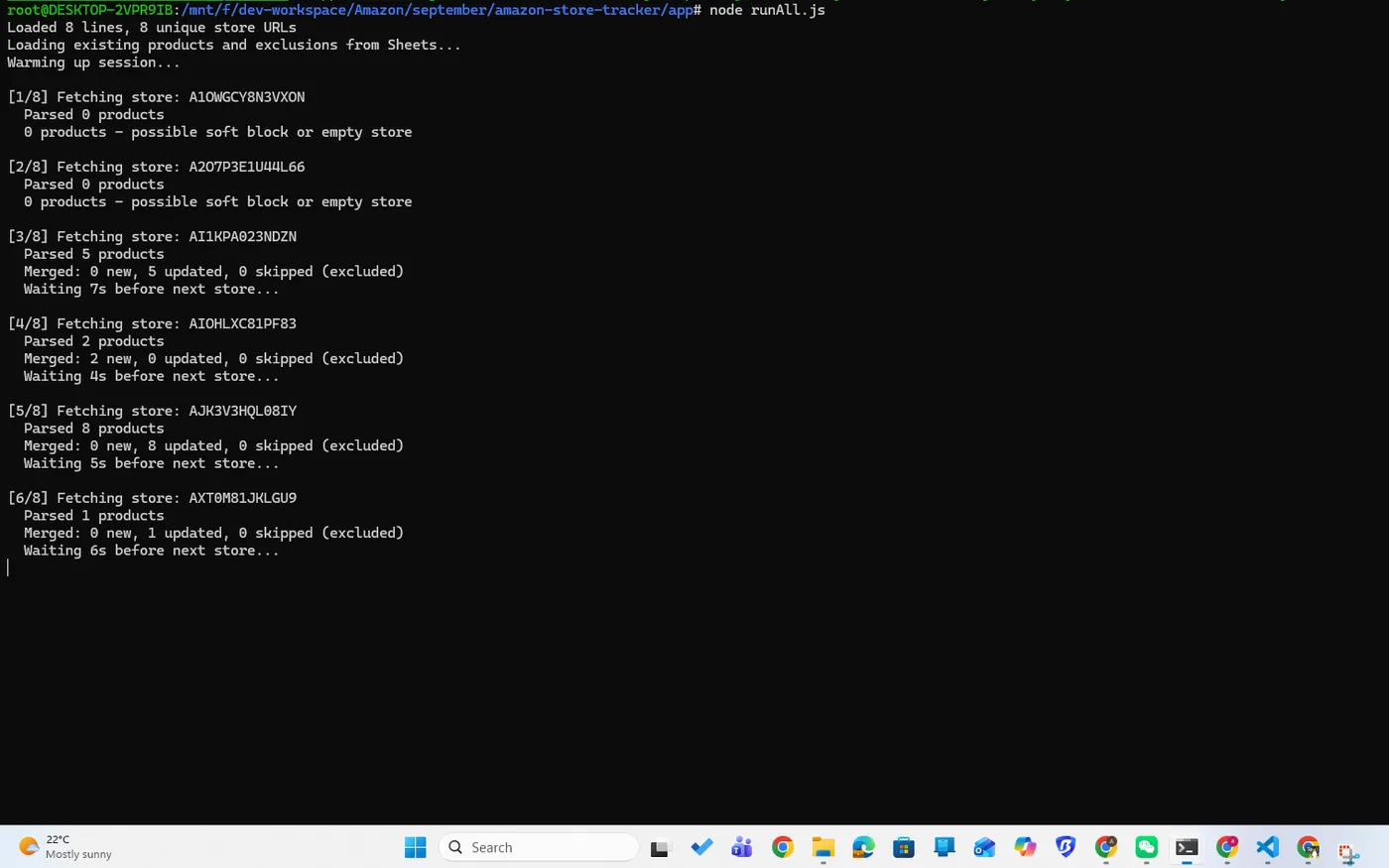
    Launch the bot and it opens its own Chrome window. It browses Amazon the way a shopper would, then works through your stores one at a time with a natural pause in between. There's nothing to babysit while it works.

    Starting a run: the bot opens Chrome and works through your store list.
    Starting a run: the bot opens Chrome and works through your store list.
  3. It finds what's new

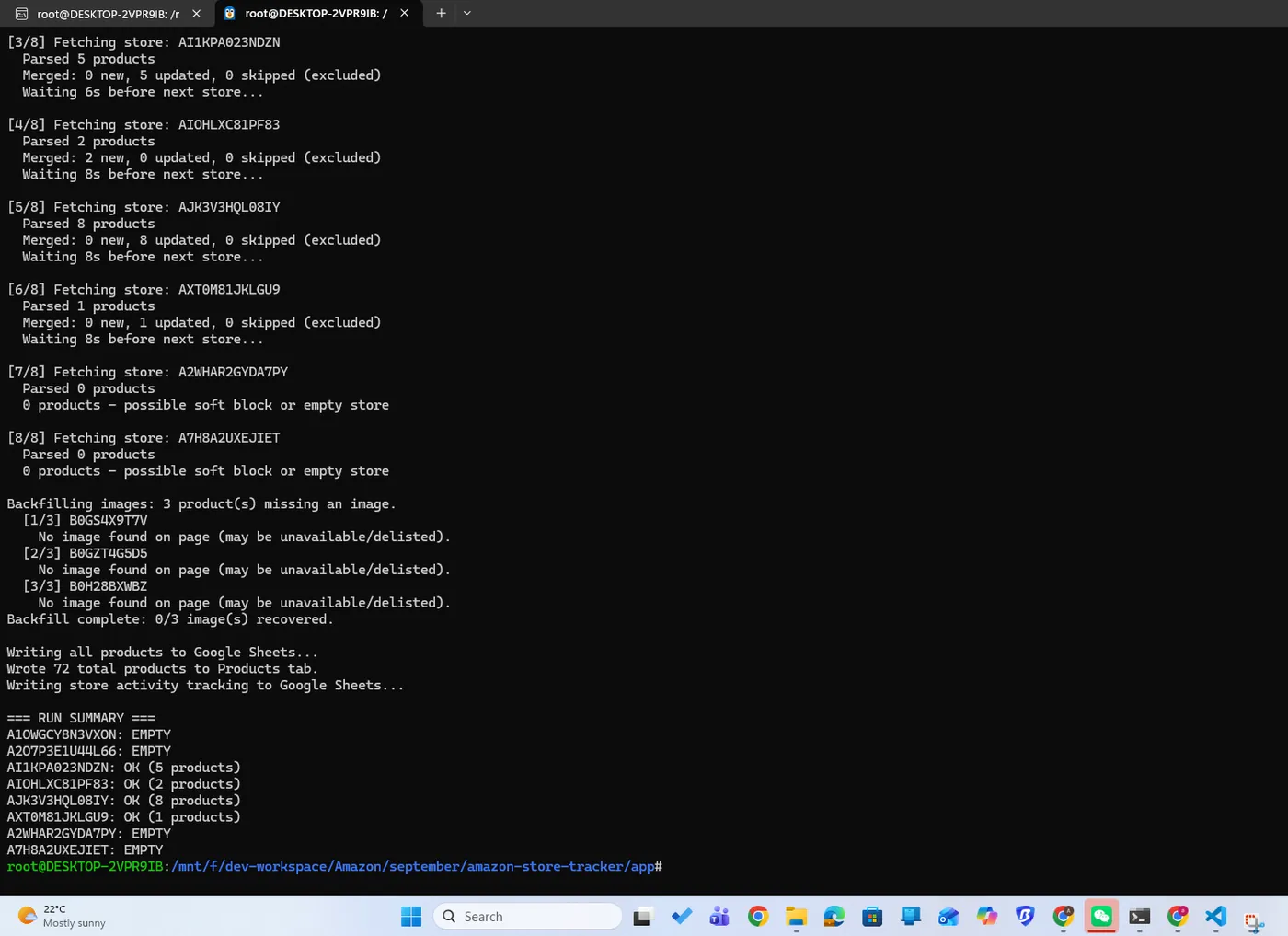
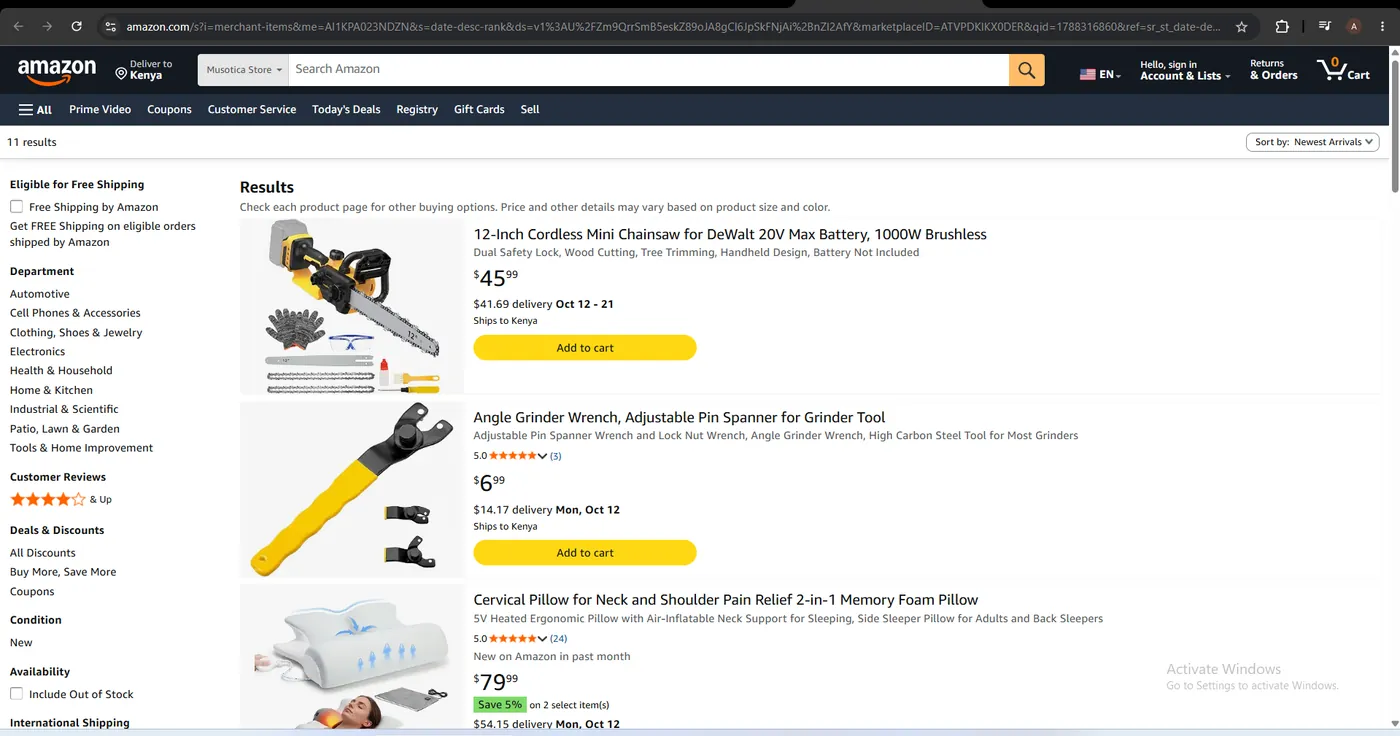
    For each store, the bot loads the full results page and reads every listing, keeping only products Amazon has tagged New on Amazon in past month. If a store is blocked or comes back empty, the bot flags it in the log instead of writing bad data into your sheet.

    The run log: products read and new finds for each store.
    The run log: products read and new finds for each store.
  4. Review your new products

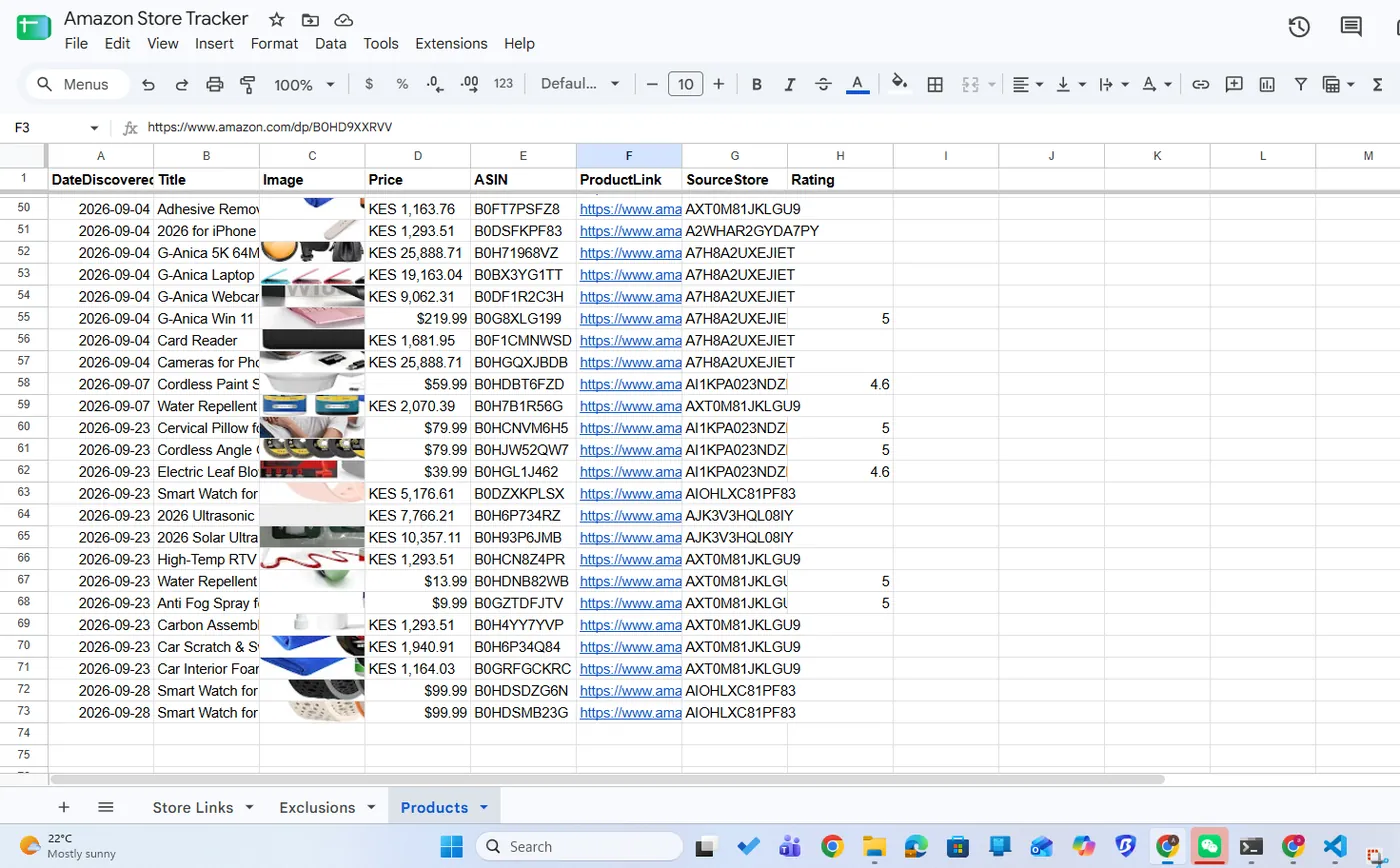
    Every discovery lands in the Products tab with the date found, thumbnail, price, rating, ASIN, a direct product link and the store it came from. Products you've seen before are updated rather than duplicated, and anything you never want to see again goes on the Exclusions tab and is removed automatically. Sort by date, filter by rating, or send the link straight to your team.

    Products tab: image, price, rating and link for every new find.
    Products tab: image, price, rating and link for every new find.
  5. Know the moment a product qualifies for Vine

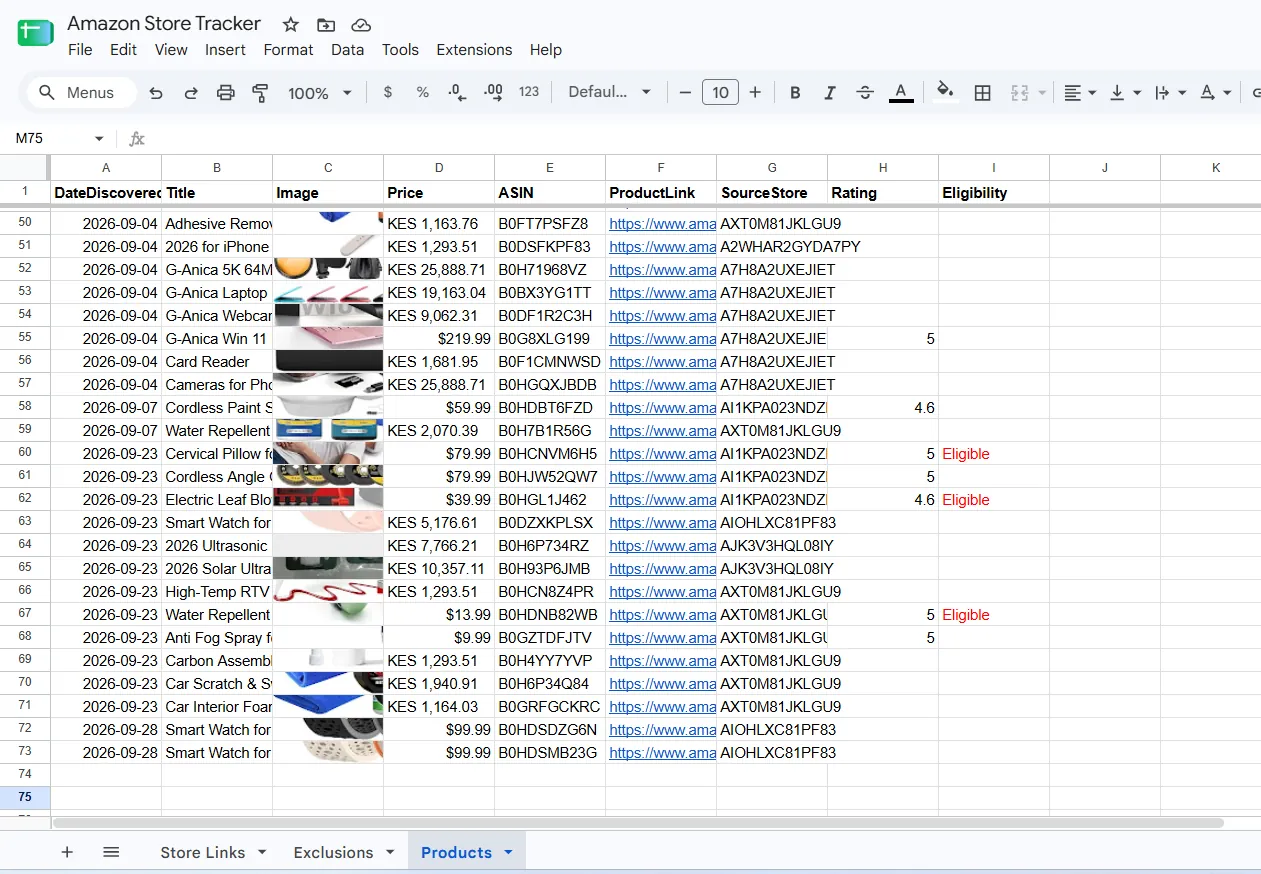
    Alongside the tracker, the Vine module adds an Eligibility column to your Products tab. Products that qualify are flagged Eligible, so you can spot them at a glance instead of checking one by one. Eligibility isn't static: a product that doesn't qualify today can qualify after a later run. Catching it early means you can get ahead of enrollment windows and start collecting reviews sooner.

    Products tab: the Eligibility column flags products that qualify for Vine.
    Products tab: the Eligibility column flags products that qualify for Vine.
  6. Watch the whole workflow

    Here's the full loop in one run: from store list, to a sheet full of new products, to Vine eligibility results. Work that used to take hours of tab-hopping and copy-pasting now takes one click. Install it once, run it on your own machine, and own it outright with no subscription.

    Get the Amazon Product Download Bot and put your next sourcing session on autopilot.

    Full walkthrough: store list to new products to Vine eligibility.